This comes straight from Remote Video Cam’s own GitHub page, and it’s free. Need help installing?
What it looks like
About this app
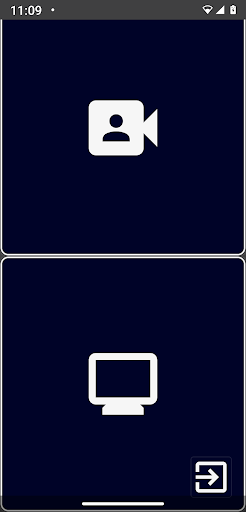
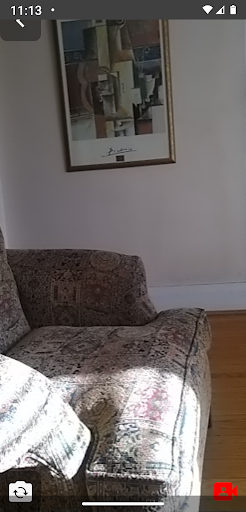
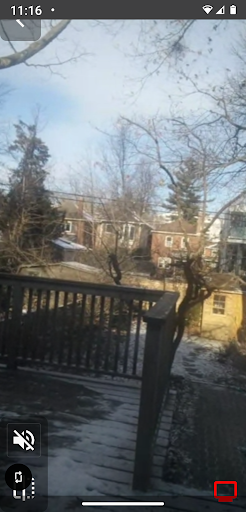
Remote Video Cam turns two Android phones into a live video link. Set one up as the camera and the other as the display, and the display shows what the camera sees, with sound. The developer suggests using it as a baby monitor, a do-it-yourself security camera or a walkie-talkie.
There is nothing to set up: no account, no server, and the two phones find each other on their own. The app picks the best way to connect from your Wi-Fi network, Wi-Fi Aware and Wi-Fi Direct (the last two link the phones straight to each other, no router needed), and you can choose the connection type yourself in the settings. The video goes between your own devices, not through a company server. On the display phone you can mute the sound or flip the picture left to right, and on the camera phone you can switch between the front and back cameras.
Both phones need the app installed, and it asks for camera, microphone and location permissions. It is not a certified baby monitor or medical device. The video can freeze if the connection is poor, so do not rely on it alone, and the developer suggests keeping something that moves, like a clock with a second hand, in view to prove the picture is live. Wi-Fi Aware and Wi-Fi Direct depend on your phones supporting them. The app is in English and Russian.
From the app’s home page
- See the codeHow it’s made, every line is public
- Questions & commentsTalk with the people who make it
- Report a problemTell the makers something is broken
- All versionsOlder downloads and what changed
- LicenseThe rules for using and sharing it
More like this
 Codec2 Talkie
Digital voice and APRS for ham radio, from your phone
Codec2 Talkie
Digital voice and APRS for ham radio, from your phone
 VanCamera
Use your phone as a webcam for Windows
VanCamera
Use your phone as a webcam for Windows
 RustDesk
Control your computer from your phone, from anywhere
RustDesk
Control your computer from your phone, from anywhere
 LocalSend
Send files to nearby devices without the internet
LocalSend
Send files to nearby devices without the internet
 Termux
A real Linux terminal in your pocket
Termux
A real Linux terminal in your pocket
 GKD
Skips the ads that pop up inside other apps
GKD
Skips the ads that pop up inside other apps