Shader Editor
Write GLSL shaders on your phone and use them as live wallpaper
Made by markusfisch · free and open source
This comes straight from Shader Editor’s own GitHub page, and it’s free. Need help installing?
What it looks like
About this app
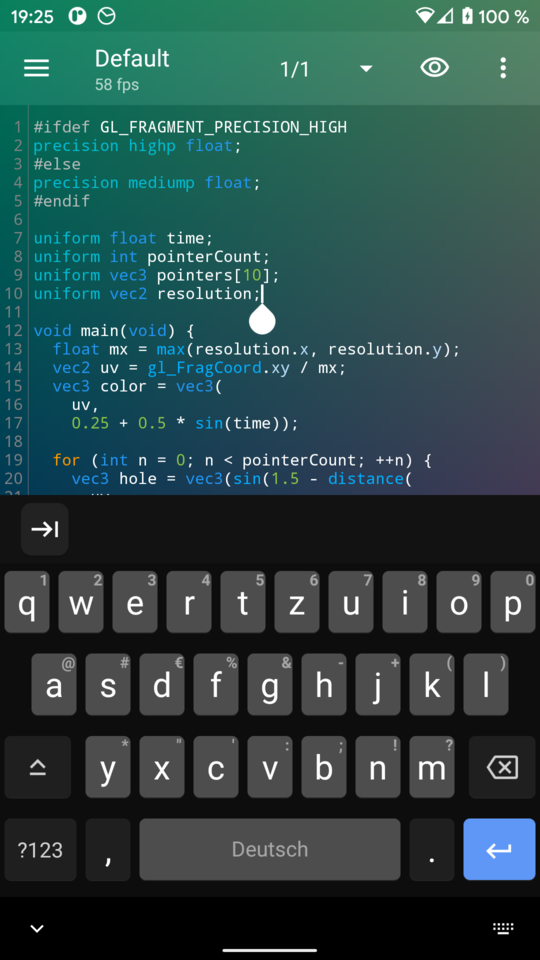
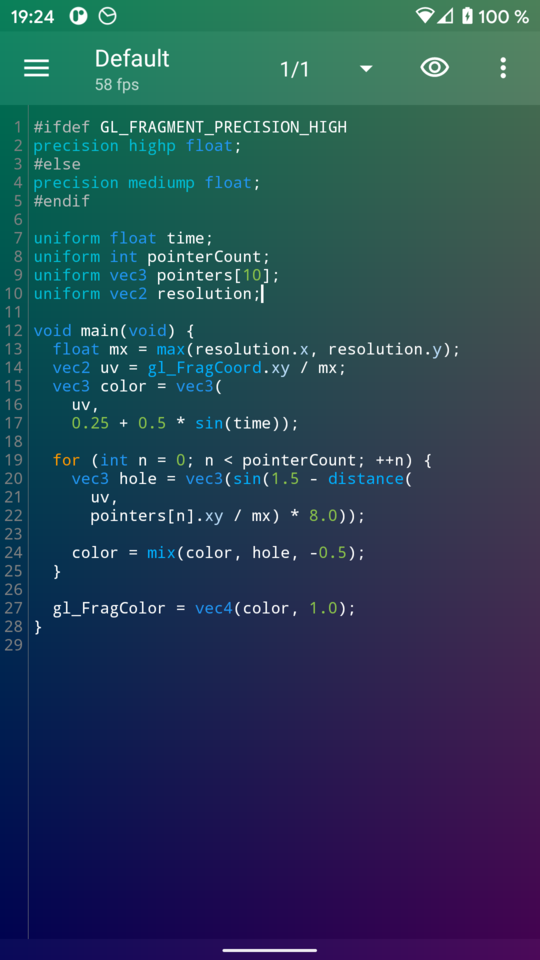
Shader Editor lets you write GLSL shaders on your phone or tablet and see them run as you type. A shader is a small program that works out the colour of every pixel, the trick behind many of the swirling, glowing effects in demos and games. When you like one, you can set it as your live wallpaper.
The shader draws behind your code while you type, with syntax highlighting, error highlighting and an FPS counter. Shaders can react to touch, the battery level and sensors such as the accelerometer, gyroscope and light sensor. They can read the microphone level, and use the camera and your own images as textures. A quality setting lowers the render size so slow phones keep up, and drawing pauses when the battery is low. Code pasted in from ShaderToy has its common names converted for you. Sample shaders are included, and you can export your whole collection.
You write the code by hand: this is a text editor with helpers, not a drag-and-drop tool. To use a shader as wallpaper, first pick Shader Editor under Live Wallpapers in your system settings. A wallpaper shader should hold around 30 frames per second so it does not slow the phone down. Shaders that use the camera or microphone need that permission. On some phones the graphics driver gives no error details, so error highlighting will not work there. It is also translated into Russian, Ukrainian and Chinese.
From the app’s home page
- See the codeHow it’s made, every line is public
- WebsiteThe app’s own home page
- Questions & commentsTalk with the people who make it
- Report a problemTell the makers something is broken
- All versionsOlder downloads and what changed
- LicenseThe rules for using and sharing it
More like this
 Muzei
A new famous painting on your home screen every day
Muzei
A new famous painting on your home screen every day
 FloatDeck
A live wallpaper whose characters drift as you tilt your phone
FloatDeck
A live wallpaper whose characters drift as you tilt your phone
 Wall You
A privacy-friendly wallpaper browser
Wall You
A privacy-friendly wallpaper browser
 Paperize
Changes your wallpaper on a schedule, offline
Paperize
Changes your wallpaper on a schedule, offline
 Peristyle
A wallpaper manager that looks like glass
Peristyle
A wallpaper manager that looks like glass
 Dark Mode Wallpaper
A wallpaper that changes with your theme
Dark Mode Wallpaper
A wallpaper that changes with your theme